
Gift Card Ordering
Procedure #: hb SOP 43
Function: Management Policies
Implementation Date: 07/27/22
Revision #: 1
Author: Brandi Hillman, Owner
Approved by: David May, COO
Policy/Purpose:
To ensure we have a proper amount of gift cards, when to order more gift cards, how many to order and how to order properly
Procedures:
1) Gift Cards should be on the miscellaneous order guide for each location and should be inventoried each week This will ensure that we have an accurate count of our stock and can quickly replenish when necessary. Additionally, integrating gift cards into our promotional efforts can enhance customer engagement, especially when paired with swag in fashion and culture. Regular inventory checks will also help us identify popular items and trends, allowing us to better cater to our customers’ preferences.
2) When the physical gift card count gets below 250, the new order should be initiated, as it can take 2-4 weeks to arrive.
3) When any order is placed for a specific location it should be for 1000 gift cards
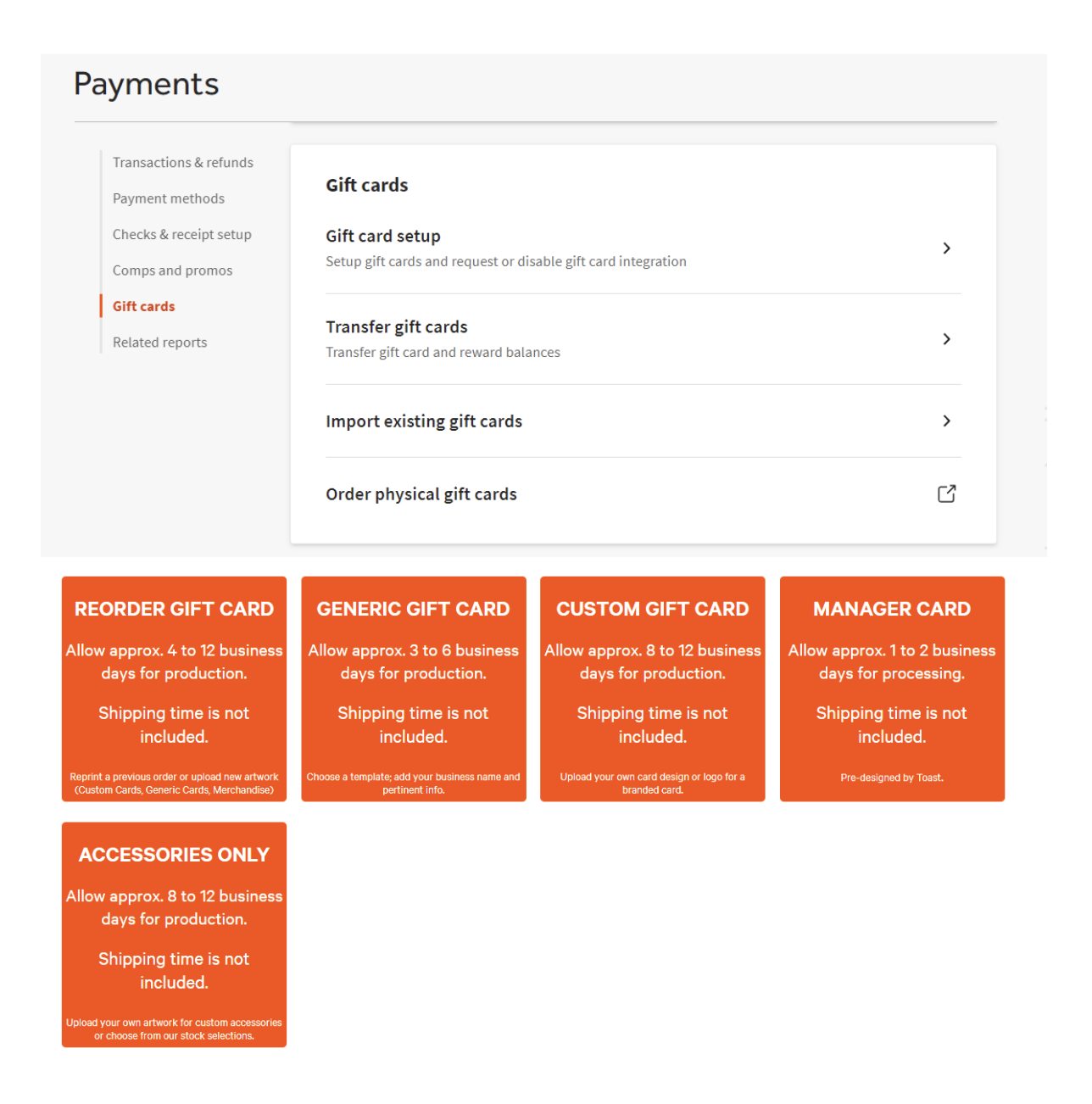
4) To order Gift Cards:
a) Go to the “payments tab”
b) Select “gift cards”
c) Select “Order physical gift cards”
d) Select “Reorder gift cards”
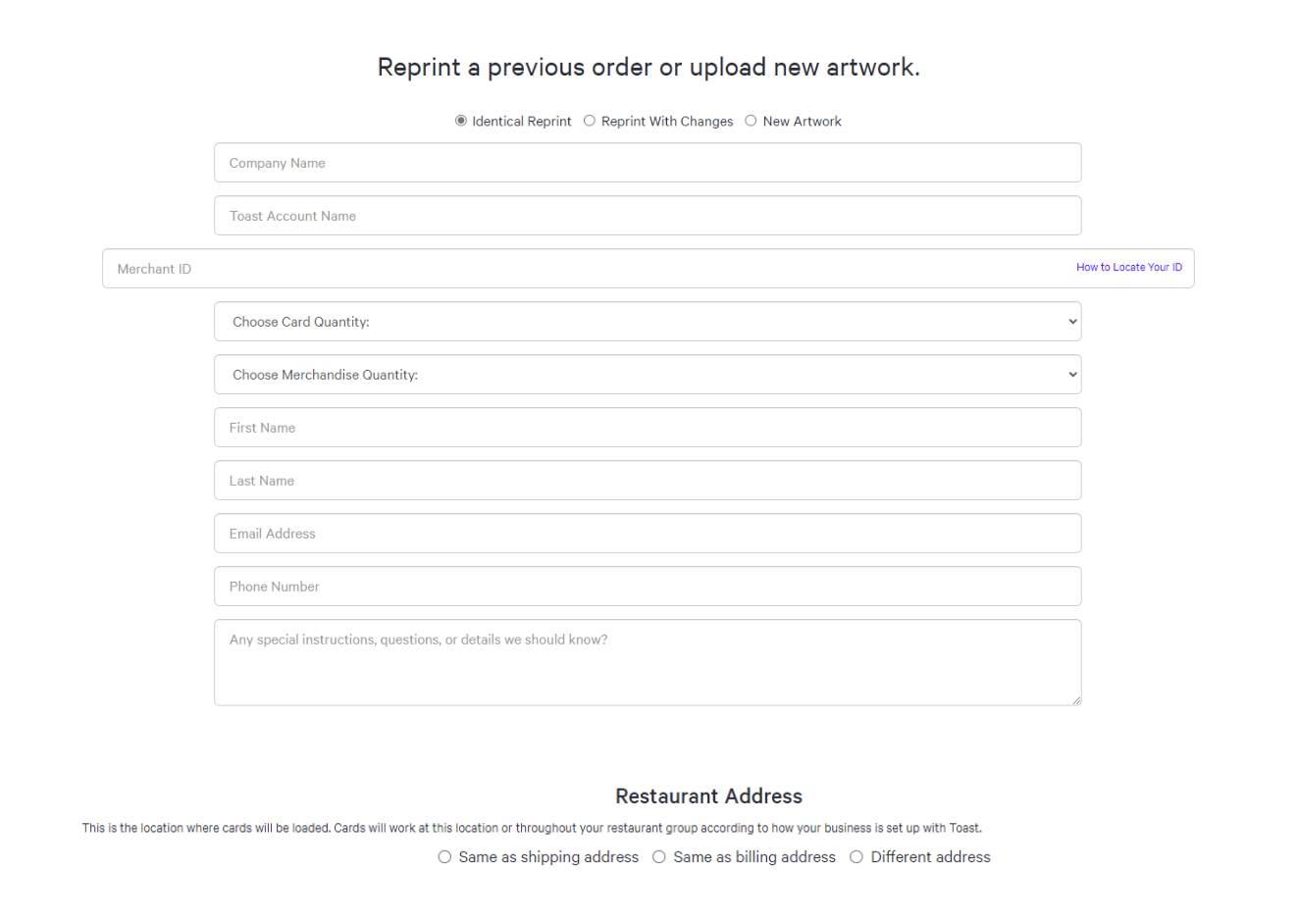
e) You will need to enter Merchant ID’s for each location:
i) BMV: 324000000017,00004912,1271239,394985
ii) OFT: 324000000018,00040056,1271239,394986
iii) MGN: 4445060905361, GUID 57cbf083-76fd-4691-ad97-b72f0692943c
f) Under “restaurant address, click “different address” and put in the physical address of the location you are at

Leave a Reply
Want to join the discussion?Feel free to contribute!