• Link to Facebook
  • Link to Instagram
  • Contact/FAQ
  • Staff Portal
Hillman Beer
  • Beer
  • Food
  • Events
  • Asheville
  • Old Fort
  • Swag
  • Menu Menu

Creating New POS Buttons SOP

Policy/Purpose:  To ensure that any button entered into the POS is entered correctly, and can be tracked separately from other menu items, including past menu items. This accuracy is vital for maintaining a smooth workflow and providing detailed reporting on sales data. Additionally, it is essential for the mgn party setup process to have clear guidelines on button entry to avoid confusion during high-traffic events. By standardizing the input methods, we can streamline operations and enhance customer satisfaction.


Procedures:

    1. Log into Toast and on the left hand side, select Menus
    2. From there click on the Edit Menus, under Menu Management on the right hand side of the screen
    3. Only the Operations Manager, COO, or Ownership should add menu categories
    4. For any item you are looking to add, please click on the category (Beer, Food, N/A Beverages, SWAG, Wednesday Special, etc…)
    5. Once you select the category, look for the subcategory you want to add to (12 oz Beer, 5oz beer, Crowlers, Sandwiches, Small Bites, Etc..
    6. Once the subcategory is selected, go to Items and look for ”+ Add”
  • NEVER click on an item and change the name
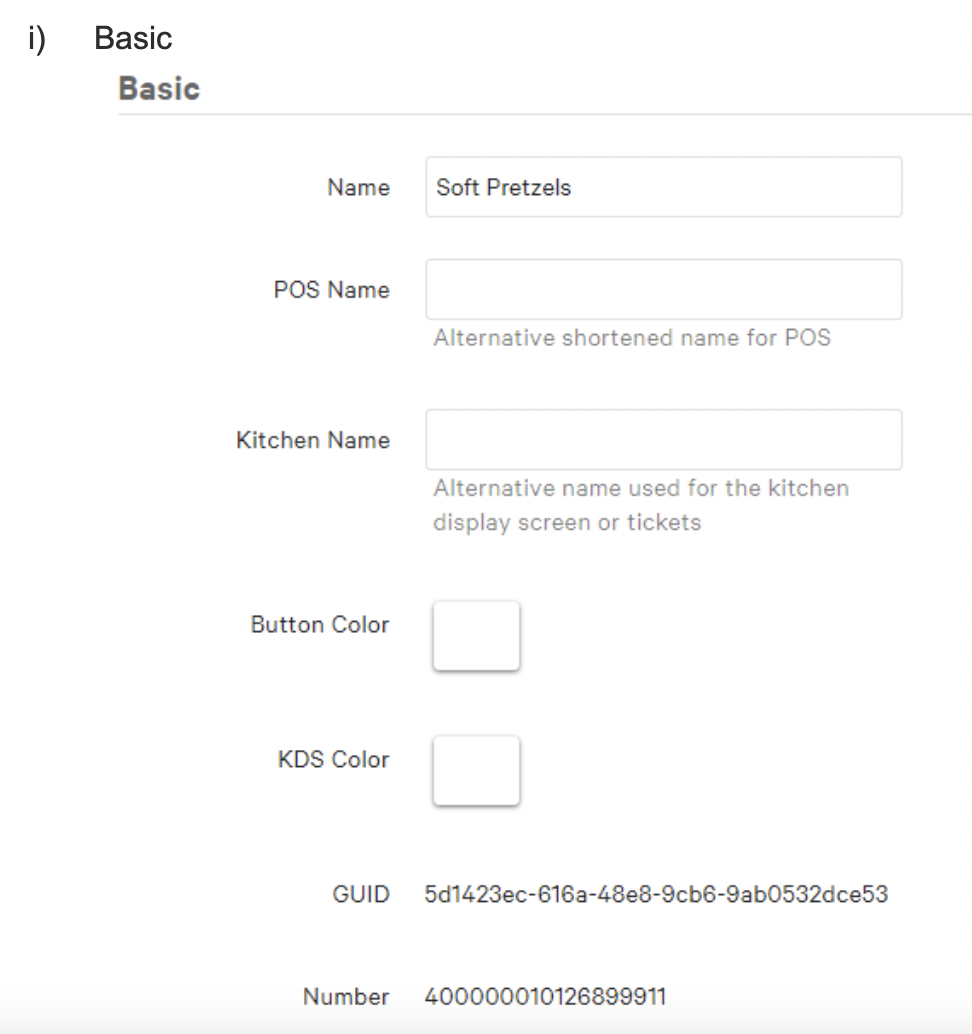
  1. After clicking add, enter the name of the Item you wish to add
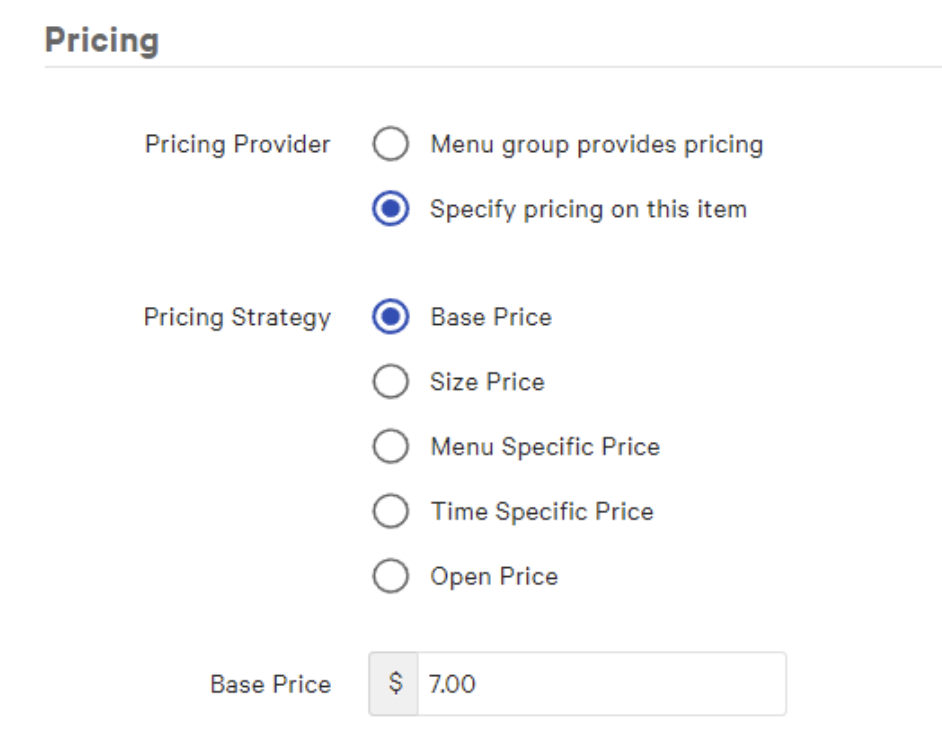
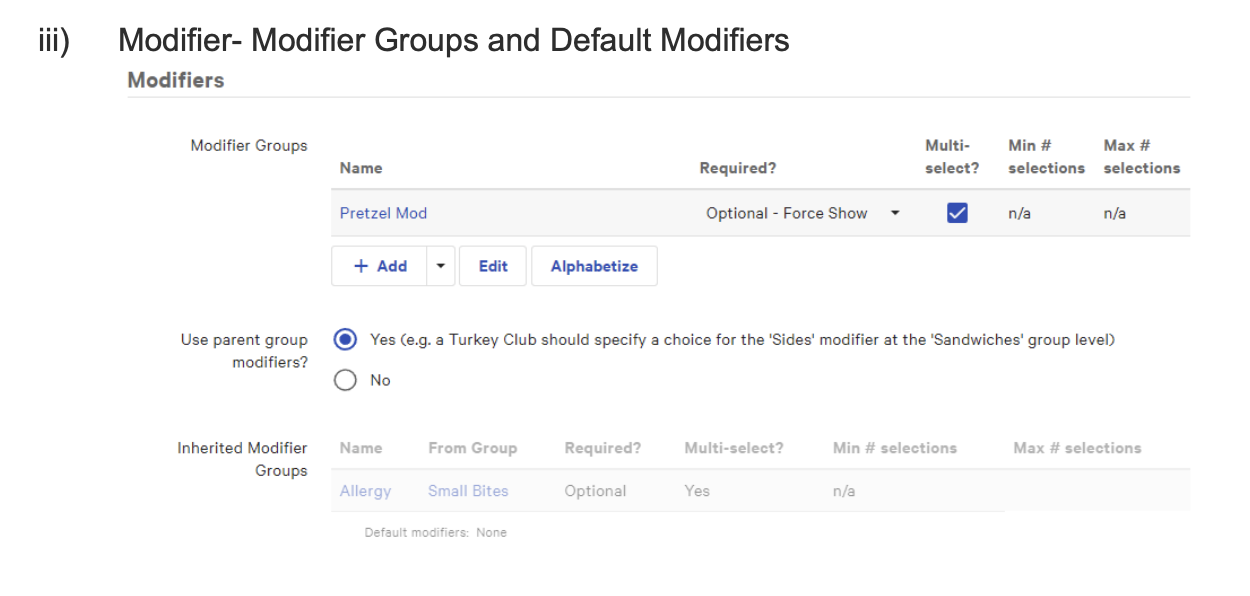
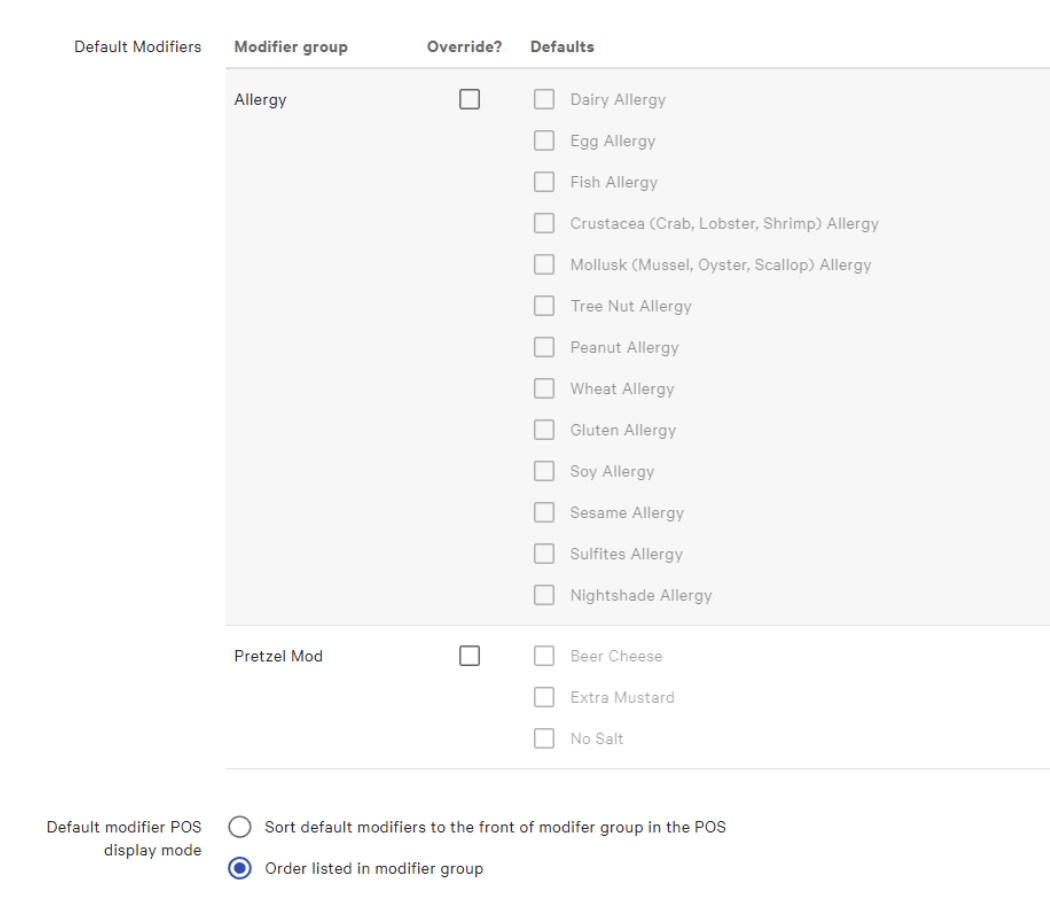
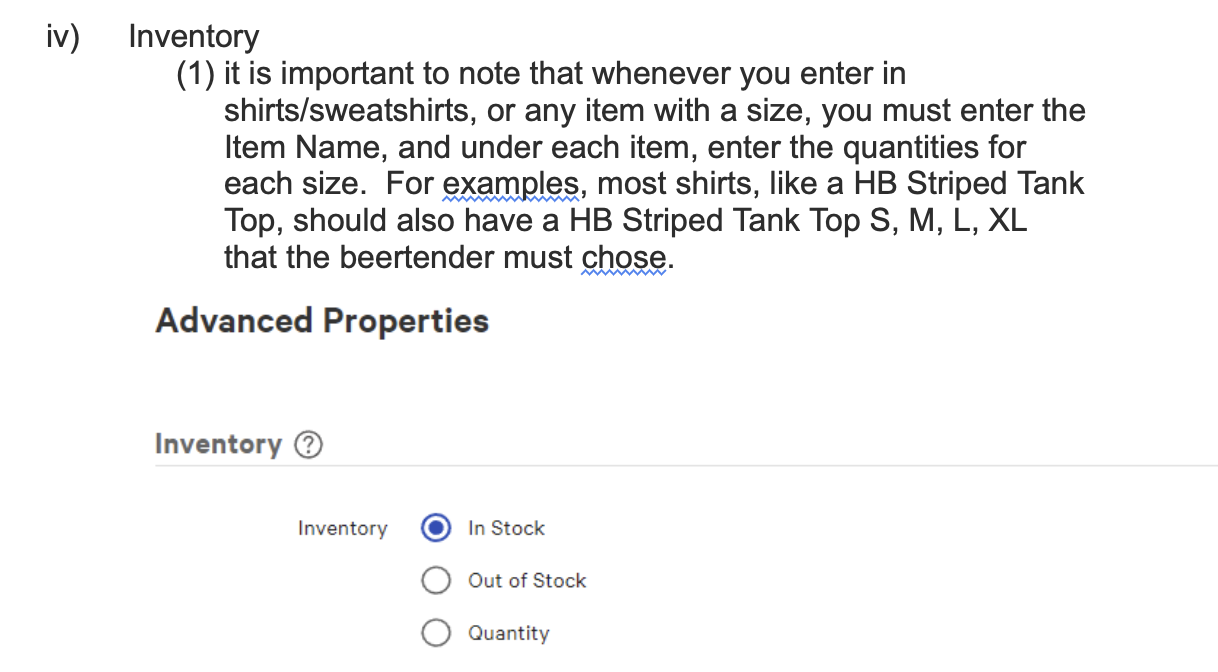
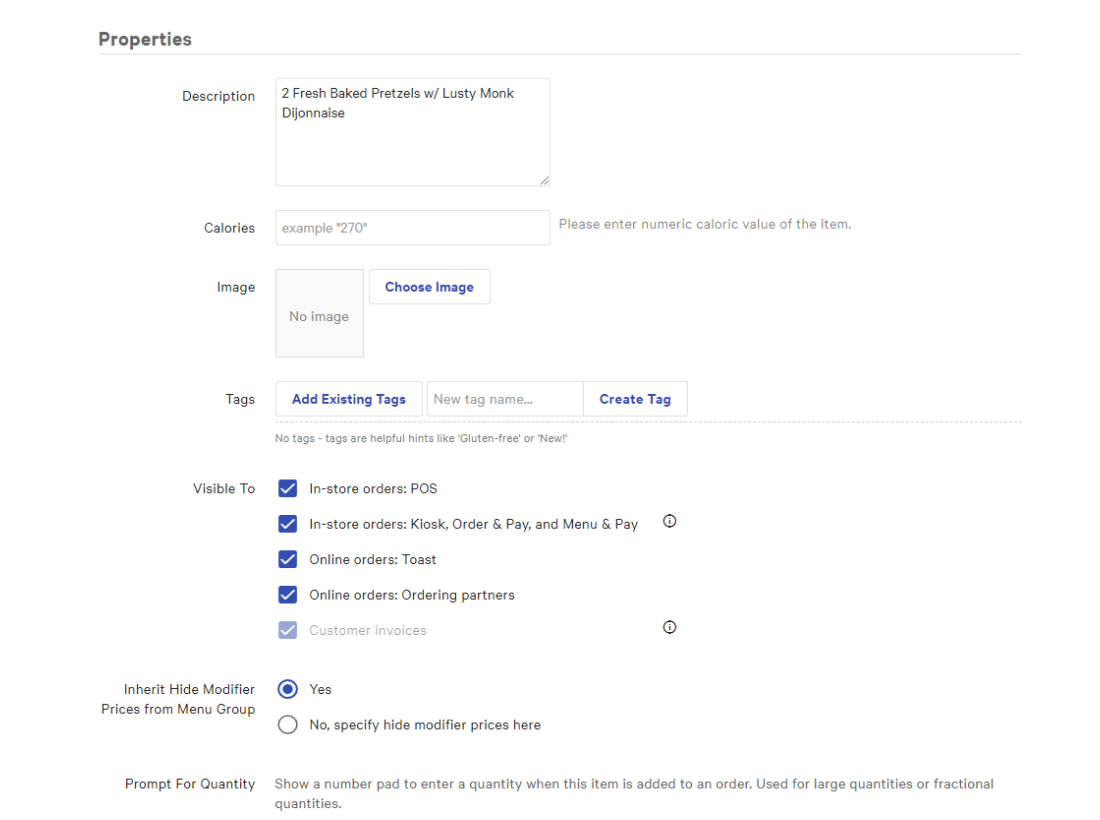
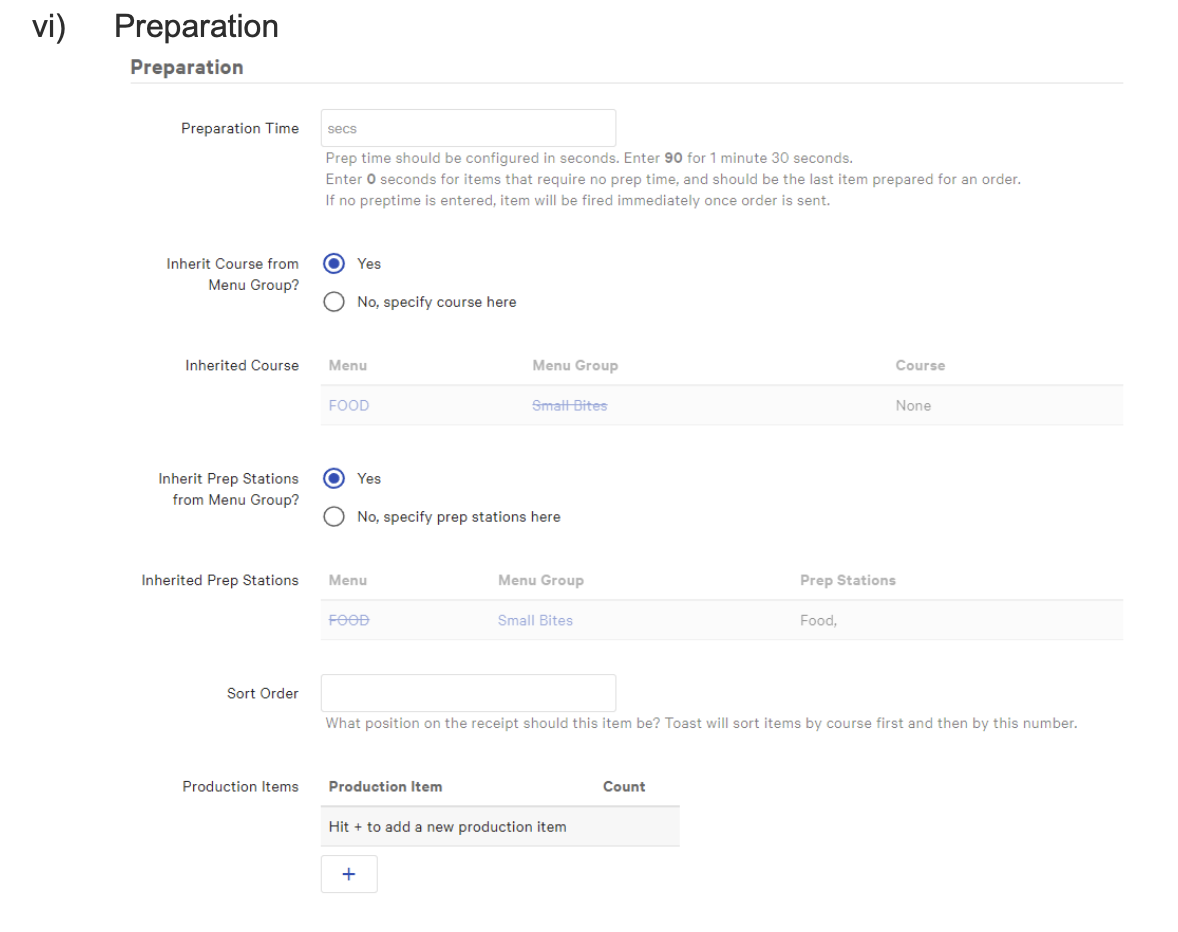
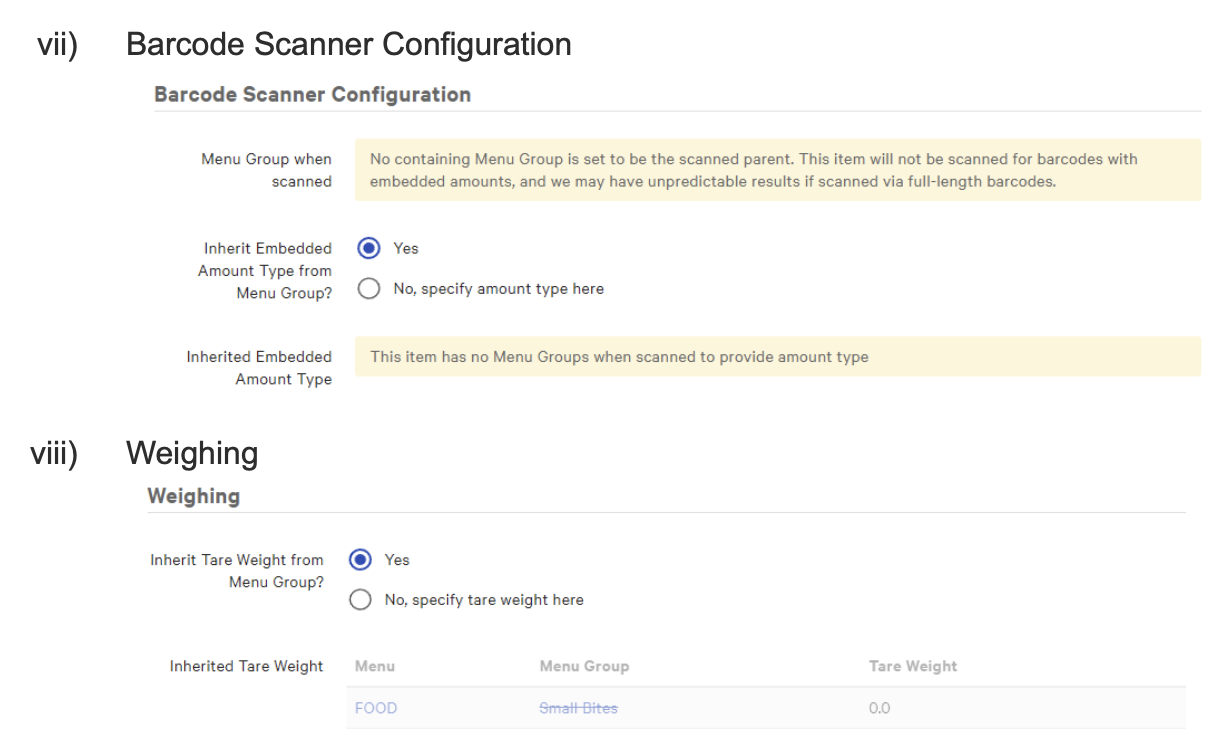
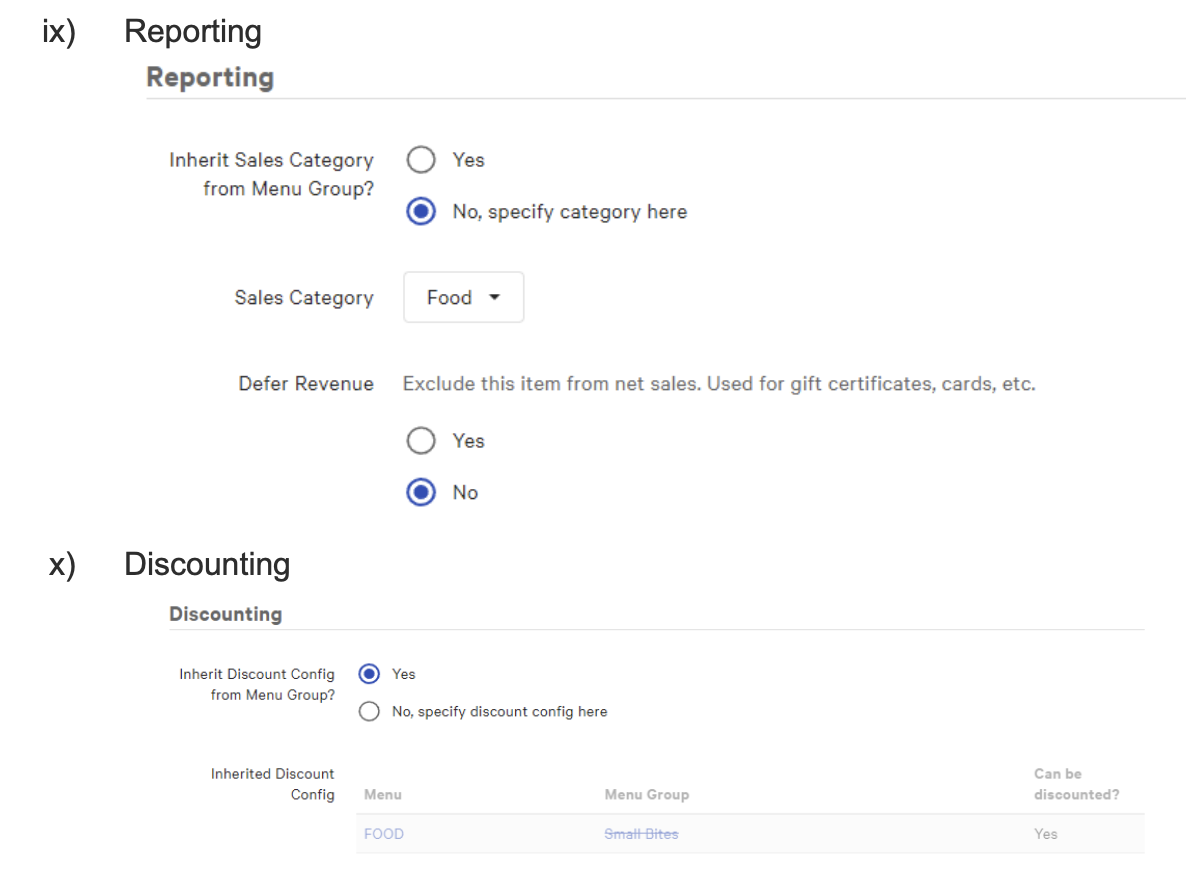
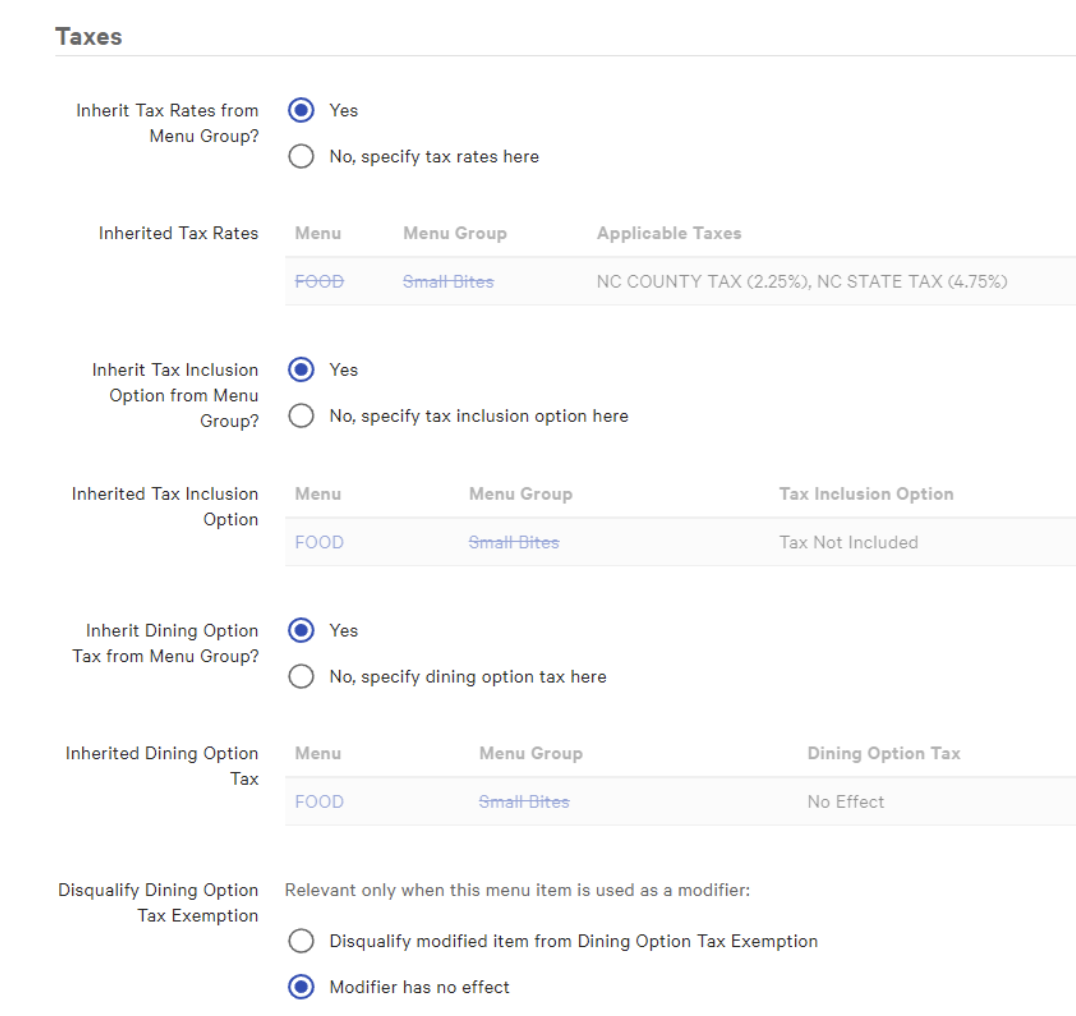
    1. Once adding the items you need to enter in all information into the following categories.  
/wp-content/uploads/2021/07/hillman-beer_logo-white-1030x343.png 0 0 hillmanhr /wp-content/uploads/2021/07/hillman-beer_logo-white-1030x343.png hillmanhr2023-05-24 10:47:502026-05-24 00:13:53Creating New POS Buttons SOP
0 replies

Leave a Reply

Want to join the discussion?
Feel free to contribute!

Leave a Reply Cancel reply

Your email address will not be published. Required fields are marked *

Search Search

Browse by Process

  • All Forms
  • All SOP
  • Blog
  • BOH Process
  • BOH Process Forms
  • Brewery Process
  • Brewery Process Forms
  • FOH Process
  • FOH Process Forms
  • HR Process
  • HR Process Forms
  • IT Process
  • Uncategorized

Tags

beer brewery equipment gift cards keg live music toast
hillman-badge-logo

Asheville

Sun-Tues: 11am-9pm
Wed-Sat: 11am-10pm

Kitchen closes every night at 9pm

25 Sweeten Creek Rd, Asheville
Get Directions →

828-505-1312

Old Fort

Sun-Tues: 11am-9pm
Wed-Sat: 11am-10pm

Kitchen closes every night at 9pm

78 Catawba Ave, Old Fort
Get Directions →

828-668-6372

Sign up to hear about events and special releases. We may even send out a newsletter one day!

"*" indicates required fields

This field is for validation purposes and should be left unchanged.

*DOGS ARE WELCOME IN THE BREWERY AS LONG AS THEY ARE LEASHED, QUIET AND WELL BEHAVED.

  • Contact/FAQ
  • Gift Cards
  • Careers
  • Distributor Resources
  • Donation Requests
  • Staff Portal
  • Privacy Policy
  • Sitemap

© 2026 Hillman Beer

Custom Website by Dog Ear Inc

Scroll to top Scroll to top Scroll to top